
• ✨ ARCHIVE MODE ✨
    The forum has now been set to read-only mode, no new posts, resources, replies etc will not be possible.
    We recommend you join our Discord server to get real-time response: Discord Invite Link

Uptade Data Lost

NSceptional

Starting Trainer
After the update, I lost my data.
In which folder should I put my "Save" folder in order to get it again?

Here's where my "Save" folder is.
Prtscreen1.png


Does someone know?
 
Last edited by a moderator:

MrHippocrit

Champion
Trusted Support
Retired Mod
How exactly did you ''lose'' your data?
Because of the new launcher?
Just replace the ''Save'' folder with the old one and it should be good to go.
 

NSceptional

Starting Trainer
How exactly did you ''lose'' your data?
Because of the new launcher?
Just replace the ''Save'' folder with the old one and it should be good to go.
I messed up the folders and I dont know how to put them in order. So I'm planning to take out of the principal folder my "save" and my XNA framework. Then I delete all of the foldersand install the game again. Finnaly, I replace my empty Save folder for the old one. Does that work?
 

Fanta

Content Developer
P3D Developer
Global Moderator
I messed up the folders and I dont know how to put them in order. So I'm planning to take out of the principal folder my "save" and my XNA framework. Then I delete all of the foldersand install the game again. Finnaly, I replace my empty Save folder for the old one. Does that work?
Well.....if you backup your "save" folder and put it in the Newly downloaded game folder replacing the empty "save" folder, yea it should work.
In other words, copy the content of the old save folder to the new empty save folder.
 

NSceptional

Starting Trainer
I did that. Now where should I put my "save" folder?
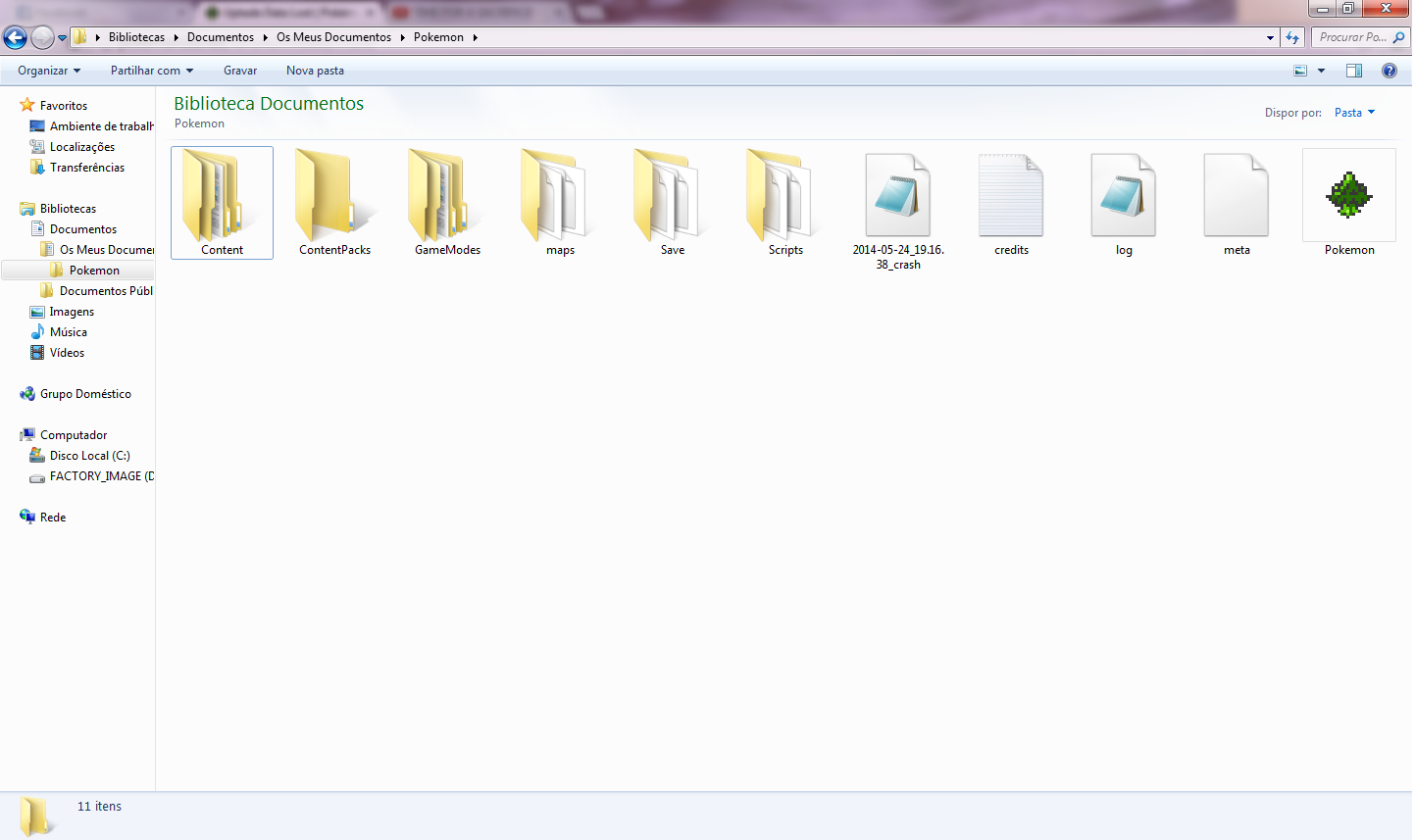
Here's an image of the things that are in my "Pokemon" personal folder.
(If possible, please make a guide like this: [folder name]>[folder name]>[folder name] and so on.)
Prtscreen2.png
 

Fanta

Content Developer
P3D Developer
Global Moderator
I did that. Now where should I put my "save" folder?
Here's an image of the things that are in my "Pokemon" personal folder.
(If possible, please make a guide like this: [folder name]>[folder name]>[folder name] and so on.)View attachment 5186
In this location, you put the folder named "save"
 
Top