• ✨ ARCHIVE MODE ✨
    The forum has now been set to read-only mode, no new posts, resources, replies etc will not be possible.
    We recommend you join our Discord server to get real-time response: Discord Invite Link

Solved Resources Not Working

Z0MB13-M00S3

Pokémon Ranger
It is that "Pokemon 3D" file in your Pokemon folder. That needs to be on your desktop.
EDIT: There should also be just a "Pokemon" file... that DOES need to be in the Pokemon folder.
Alright I moved it to my desktop when I double click it to start the game it tells me Invalid start parameters please start from the launcher. I start it from the launcher it works but there is no resources still
 

Tornado9797

Content Developer
P3D Developer
Global Moderator
Alright I moved it to my desktop when I double click it to start the game it tells me Invalid start parameters please start from the launcher. I start it from the launcher it works but there is no resources still
Did you happen to rename the Pokemon file to Pokemon 3D?

If not, then there might've been a big mix-up here. Delete your Content, maps, Scripts, and all other non-folder items in the Pokemon folder, and try redownloading the latest version again.
 

nilllzz

Original Developer
Administrator
P3D Developer
I don't know if Tornado got the situation correctly... I think the problem is just that ContentPacks don't appear in the game?
 

nilllzz

Original Developer
Administrator
P3D Developer
So yeah, the game works right?
Can you show me which ContentPack you downloaded and where you placed it?
 

Tornado9797

Content Developer
P3D Developer
Global Moderator
I don't know if Tornado got the situation correctly... I think the problem is just that ContentPacks don't appear in the game?
I know what the problem is, I just thought that this problem branched off from files being in the wrong location.
 

nilllzz

Original Developer
Administrator
P3D Developer
I know what the problem is, I just thought that this problem branched off from files being in the wrong location.
Then the game wouldn't work at all. He said that the ContentPacks don't appear in the game.
 

Z0MB13-M00S3

Pokémon Ranger
OK I re-downloaded the launcher
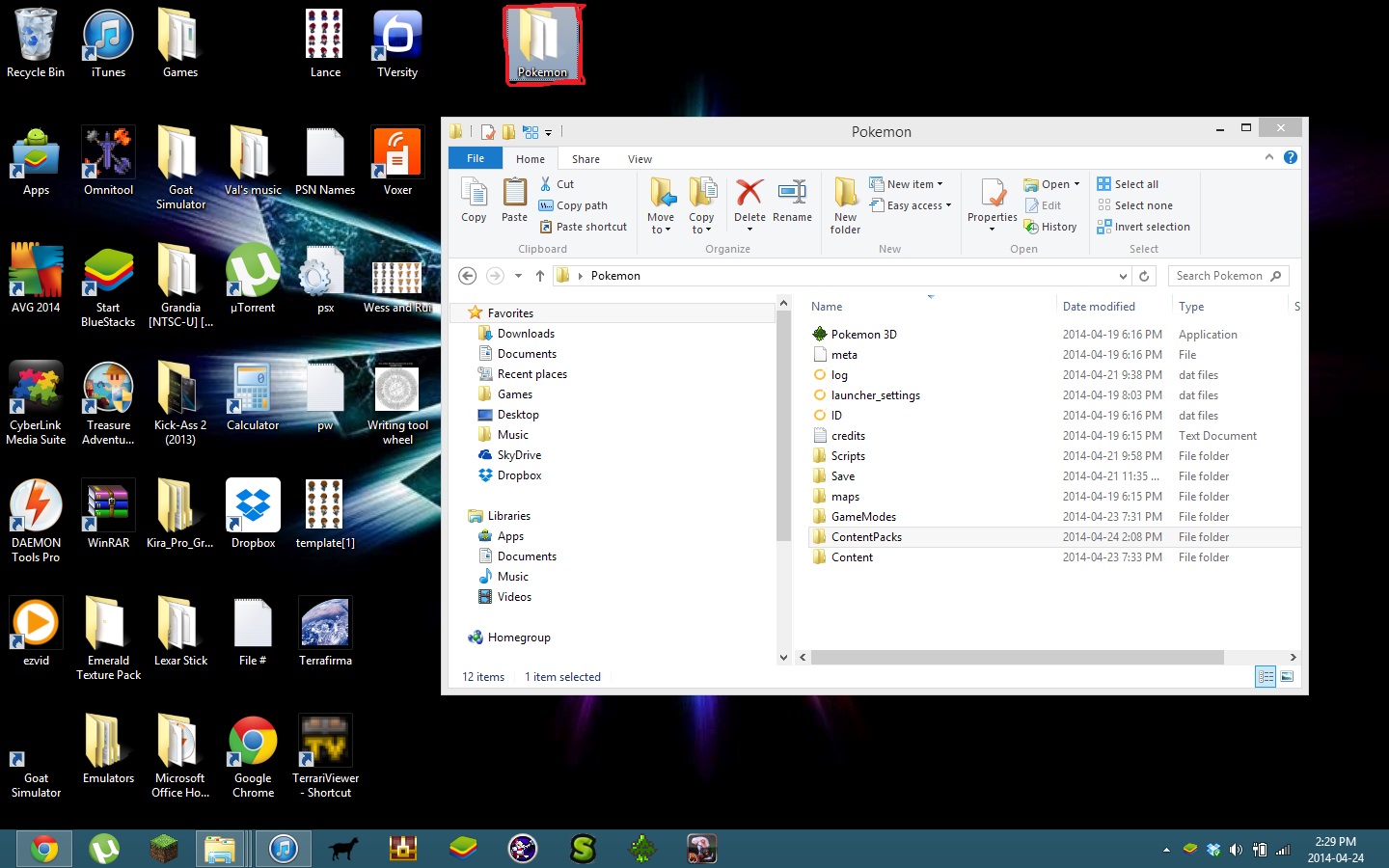
Here is the screenshot of the files opened plus my content pack stuff
Launcher Files
Screenshot (33).png
Game files
Screenshot (34).png Screenshot (35).png

When I opened the game files it didnt have the resource folders
 

nilllzz

Original Developer
Administrator
P3D Developer
The folders in the ContentPacks folder seem to be correctly placed. I think the RandomLocke one might be a GameMode, so you have to move it into the GameModes folder.
 

Z0MB13-M00S3

Pokémon Ranger
Yeah I noticed that RandomLocke was in the wrong folder I will try firing up the game again and take another screen shot
 
Top