Post a screenshot of PFPortChecker saying that 15124 is open on both TCP and UDP. Make sure you close the server program first.yup but i dunno wats going on.

✨ ARCHIVE MODE ✨
The forum has now been set to read-only mode, no new posts, resources, replies etc will not be possible.
We recommend you join our Discord server to get real-time response: Discord Invite Link
Post a screenshot of PFPortChecker saying that 15124 is open on both TCP and UDP. Make sure you close the server program first.yup but i dunno wats going on.

hold up i gotta download it again.Post a screenshot of PFPortChecker saying that 15124 is open on both TCP and UDP. Make sure you close the server program first.
Then you're not port forwarding that port. If you want, you could just use the port that you forwarded for your PS3. Try typing that port into the program to see if it's open.hold up i gotta download it again.
a little crash occured so ill try it again
Both TCP and UDP show that it's not open.
i dont have a PS3 and I already port forwarded. A family member of mine plays this game and he says that he already port forwarded.Then you're not port forwarding that port. If you want, you could just use the port that you forwarded for your PS3. Try typing that port into the program to see if it's open.
Ah, misread P3D as PS3 a few posts back. Also, if someone else is port forwarding this port on their computer, it doesn't mean that you're forwarding it on yours. If you think that your router is already forwarding the port for a different computer, and that's why it isn't working, you could just choose a different port like 15215 or something.i dont have a PS3 and I already port forwarded. A family member of mine plays this game and he says that he already port forwarded.
Me and him will try to figure it out sooner or later(meaning the problem why my server isnt running). Plus, becuz i have a bad computer, he says it's gonna lag if too many people join(i dont actually believe him ).Ah, misread P3D as PS3 a few posts back. Also, if someone else is port forwarding this port on their computer, it doesn't mean that you're forwarding it on yours. If you think that your router is already forwarding the port for a different computer, and that's why it isn't working, you could just choose a different port like 15215 or something.
The server application uses very little resources. I've never seen it pass 1% CPU usage on my computer. I believe 0.7% was the highest that I've seen. With that said, my CPU is really fast. It will probably lag from the program itself just not working that well when 15-20 people are on. I'm not sure why that happens, but it does.he says it's gonna lag if too many people join(i dont actually believe him ).


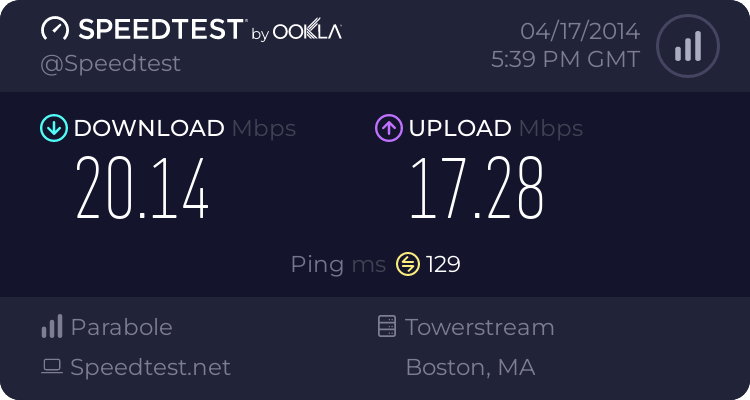
Dat upload.Upload: ~20Mbps

Speedtest or didn't happen.It's real!
SpeedTest and resultats was similar even between which countries I choose to test.Speedtest or didn't happen.
Just post the picture.SpeedTest and resultats was similar even between which countries I choose to test.
Or link.
Just post the picture.